Update Your Nvidia Drivers Now to Fix Annoying Frame Gen Stutters
Having issues with stuttering while using DLSS frame generation and VSync? A new Nvidia driver update might be the fix you need.
We've all been there. You load up a fresh game. You crank the settings to Ultra. You enable every fancy feature you can find. Then, the nightmare begins. The screen hitches. The frame rate tanks. It feels like you're playing on a toaster from 2005.
I know the pain. Nothing ruins a gaming session faster than micro-stutters. It's the worst when you have expensive gear. You expect perfection. You pay for it, too. When it fails, you want answers.
Well, there's some good news today. Nvidia released a new update. It targets a very specific, very annoying problem. If you use frame gen and VSync together, listen up. This might save your sanity.
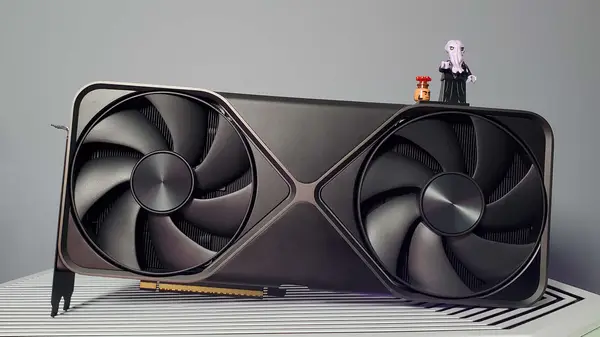
Why your frame gen setup has been acting up
For a long time, these two tech features didn't like each other. DLSS frame generation works by guessing what the next frame should look like. It inserts these fake frames between real ones. It makes things look smoother.
VSync has a different job. It locks your frames to your monitor's refresh rate. It stops screen tearing. It makes sure the image stays steady. But when they work at the same time, they often fight.
The GPU tries to predict frames while the monitor waits for a signal. This mismatch causes a hitch. It creates a stutter that ruins the flow. Many players just turned one off to stop the shaking.
It's a classic conflict. One feature wants speed. The other wants sync. Without a bridge between them, your game suffers. It's been a headache for months. Finally, someone at Nvidia took notice.
The latest driver fix explained
The new update is called Game Ready Driver 596.49. It's supposed to bridge that gap. The goal is simple. Make frame gen and VSync play nice. It aims to stop that hitching for good.
People on the Nvidia subreddit are already talking. One user tested it on their RTX 4090. They used Ultra settings with 2x frame generation. Before, they saw constant stuttering. They had to swap to FSR just to get a playable game.
After the update, they claim it works perfectly. No more hitches. No more fighting settings. They say it's a night and day difference. It's the kind of fix we love to see.
But wait, it's not perfect for everyone. Some users still report issues. One person mentioned Monster Hunter Wilds still feels bad. Others say they see no change at all. It's a mixed bag right now.
Still, progress is progress. If you are having trouble, you should try it. It's a free update. It takes five minutes to install. Why stay frustrated if a fix is sitting there?
Capcom games seem to be the big winners here. Users are reporting better results in titles like Pragmata. It shows that the driver might be optimized for specific engines. That's a positive sign for the future.
What else is inside this update?
This isn't just about frame generation. The driver package includes support for a few new titles. You'll find compatibility updates for Forza Horizon 6, Directive 8020, and Subnautica 2. It keeps your rig ready for the newest releases.
There's also a specific fix for Foundry Mari 7.0v2. Some users reported flickering issues there. This update addresses that bug. It's a small detail, but it matters for creators.
The file size is under 1 GB. It's lean and focused. You don't get a ton of bloatware here. You just get the core fixes. It's a clean install, which I always appreciate.
You can grab it via the Nvidia App. If you prefer the old way, the direct link works too. Just make sure you restart your PC after. It helps clear out the old cache files.
Is this the end of your stuttering woes?
I think this is a step in the right direction. We rely on these companies to keep our hardware working. When they ignore basic conflicts, it feels bad. This shows they are listening, at least a little bit.
Should you expect a miracle? Maybe not. Every PC is different. Your build might have other issues. Drivers are just one piece of the puzzle. But they are a big piece.
Keep your eyes on the community forums. That's where the real truth lives. If more people report smooth gameplay, we know the fix works. For now, it's worth a shot.
Don't let a bad driver keep you from your games. Update today. See if it helps your specific setup. You might be surprised.
Quick questions answered
Do I really need to update? If your games run fine, you don't have to. If you see stuttering with frame gen, then yes, do it.
How do I get the driver? Use the Nvidia App on your desktop. It handles the whole process for you.
Is this fix for every game? It helps, but it isn't a magic wand. Some games might still need extra patches from the developers.
What if it makes things worse? You can always roll back to your previous driver version. It's safe and easy to do.
Can I use this on older cards? It depends on your card series. Check the Nvidia site to confirm your model is supported.
My honest take on this
Honestly, I think the PC gaming space is getting too complex. We have too many toggles now. DLSS, FSR, VSync, G-Sync, Frame Gen. It's a lot to manage.
The thing that gets me is how often these features conflict. We buy expensive hardware to have a better time. Instead, we spend hours tweaking settings. That's not fun. That's work.
I really hope Nvidia keeps pushing these fixes. They have the power to make this stuff work in the background. We shouldn't need a degree in math to play a game. It should just work.
My advice? Don't stress the small stuff. If the game plays, enjoy it. If it stutters, update your drivers. Then, get back to playing. Life is too short for endless settings menus.