AMD GPU owners face major fan bug in latest driver update
AMD GPU users report a critical fan bug in the Adrenalin 26.5.1 driver update. Learn how the Zero RPM feature is failing and how to protect your card.
I get it. You just want your PC to work when you sit down to play. It's a simple wish for anyone who spends cash on high-end hardware. But sometimes, a routine update ruins the vibe.
Right now, a lot of folks are dealing with a nasty surprise. A new AMD driver update is causing real headaches for gamers. If you own an AMD card, you need to pay attention.
It's not just a minor glitch. This bug messes with your cooling fans. If you aren't careful, your gear might cook itself. Let's look at why this is happening and what you can do about it.
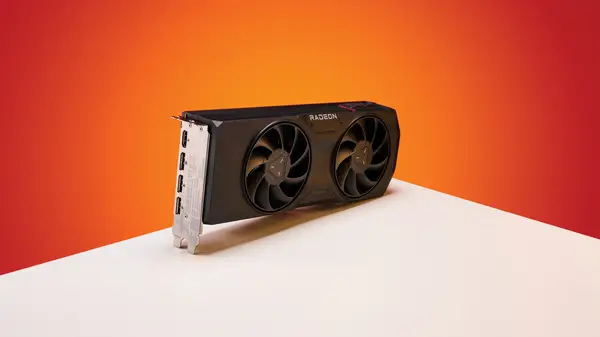
Why cooling tech matters for your rig
Most modern cards use a feature called Zero RPM. It's a smart way to keep things quiet. When your card is just sitting there on the desktop, the fans stop spinning. It saves power and keeps your room silent.
It also cuts down on dust. Fans act like tiny vacuums. If they aren't spinning, they aren't sucking in all the fuzz from your carpet. It's a win-win for most users.
The system is meant to be automatic. Once you start a game, the heat goes up. The card senses this and kicks the fans back to life. It's a seamless process that you shouldn't have to think about at all.
The mess with the adrenalin 26.5.1 update
The trouble started when AMD dropped the Adrenalin 26.5.1 driver earlier this month. People were excited for the performance tweaks. Instead, they got a broken feature that refuses to wake up.
Here is what happens. You let your monitor go to sleep. You walk away for a bit. When you come back and wake the screen, the Zero RPM mode stays stuck in the "off" position.
The fans don't spin even when you start a demanding game. You might be playing for ten minutes before you realize the card is getting hot. That is a huge problem.
Your card won't just shut down immediately. It will throttle first. You'll see your frame rates tank. If you keep pushing it, you risk permanent damage to the silicon.
Redditors were the first to sound the alarm. Users like Evelyne-Tourneciel posted about the issue after seeing their temps spike. It didn't take long for others to chime in with similar stories.
It's a widespread issue for many users. If you have updated your drivers recently, you need to check your fan curves right now. Don't just assume it's working fine.
How to fix your fan settings
There are a few ways to handle this. The simplest way is a full reboot. It forces the driver to reset. But doing that every time you wake your PC is a pain.
You could turn off Zero RPM in the software. It's not great for noise, but your fans will stay on. That keeps your card safe from heat spikes.
Some users say using Display Driver Uninstaller, known as DDU. It wipes the driver completely. You can then install an older, stable version like 26.3.1. It takes time, but it works.
Check the AMD forums before you do anything else. Sometimes a new patch comes out overnight. If 26.5.2 doesn't fix it for you, stick with the older version for now.
What this means for the future
This shows how fragile software can be. We trust these companies to keep our hardware safe. When they miss a bug like this, it hurts that trust.
Hardware is getting hotter every year. We need better cooling management, not worse. AMD needs to patch this quickly to keep their users happy.
I hope they learn from this. Testing these drivers on different sleep states is a must. It's a basic part of the user cycle that shouldn't be missed.
Quick questions answered
Is my card broken forever?
Probably not. If you catch the heat spike early, your card should be fine. Just make sure the fans spin.
Should I stop gaming?
Not necessarily, but check your fan speed before you load up a game. If it stays at zero, exit the game and restart.
Does this affect all AMD cards?
It seems to affect several models, but not everyone has the same experience. It depends on your specific card and settings.
Will a future driver fix this?
Likely, yes. AMD is usually quick to patch these things once they are aware of the reports.
Is there a way to force the fans on?
Yes, you can set a custom fan curve in the Adrenalin software. This overrides the Zero RPM mode.
My honest take on this
I find this really frustrating. I've been a fan of AMD GPUs for years. They usually provide great value for the money. But this kind of oversight shouldn't happen in a stable release.
I think the issue is that drivers have become way too complex. They do so much now that testing every single scenario is nearly impossible. Still, basic fan control is a fundamental feature.
If I were running the QA team, I would be embarrassed. A bug that causes hardware to overheat is a top-tier priority. It needs to be fixed today, not next week.
My advice? Always wait a few days before you update your GPU drivers. Let the early adopters find the bugs first. It's safer to be a week behind than to deal with a fried card.