Building a Quiet PC: The Real Truth About Silence
Stop the noise. Learn why building a silent PC is harder than it looks and how to master thermal management for a whisper-quiet rig.
You finish that build. The lights flash. The fans spin. It looks perfect.
But then, you hear it. A hum. A buzz. A whir that ruins the moment. You thought buying high-end parts would guarantee a silent machine, but you were wrong.
Silence isn't just about throwing money at expensive fans. It is a war against heat, physics, and bad design choices. If you want a quiet PC, you have to fight for every decibel.
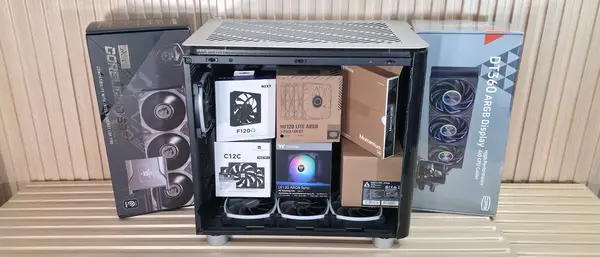
The physics of noise and heat
Heat is the enemy of silence. Every watt your CPU or GPU pulls must leave the case as heat. To get that heat out, you need air. Moving air makes noise. It's that simple.
Think about your power draw. A 600W GPU needs massive airflow to stay cool. If you run a high-end chip, you cannot hide the noise. The laws of physics demand that air moves fast to keep the silicon from cooking.
We often ignore how much power modern parts pull. A 200W CPU creates a massive thermal load. If you use a tiny cooler, the fan must spin at max speed. That creates a high-pitched whine that fills the room.
Surface area is your best friend. A giant heatsink with a slow fan cools better than a small one with a fast fan. Big metal blocks let you run fans at low speeds. That is the secret to a quiet rig.
Why silence is a balancing act
You have to pick two. High performance, low heat, or total silence. You rarely get all three. Most people want the top-tier GPU, but they don't want to hear the fans.
Turbulence is the real killer. When air hits a grill or a filter, it makes noise. It's not just the fan spinning. It's the air struggling to move through the mess you built. Smooth paths make for quiet machines.
Fans also fight each other. If you have two fans next to each other at different speeds, they hum. That rhythmic pulsing is worse than steady noise. You need to sync your fans to stop the drone.
Don't forget the case itself. Thin metal vibrates. Cheap glass panels rattle. If your case isn't solid, it will act like a speaker for every vibration inside. A heavy, thick case is a quiet case.
Coil whine is the final boss. It's a high-pitched electrical buzz from your GPU or power supply. You can't fix it with better fans. Sometimes, you just have to return the part and hope for a better one.
It's a game of diminishing returns. Getting from "loud" to "okay" is cheap. Getting from "quiet" to "silent" costs a fortune. Most people stop halfway because the last few decibels cost way too much.
The technical path to quiet
Start with your fan curves. Most boards set fans to spin way too fast by default. You can use software to set a flat, low speed. Test your temps. If the CPU stays cool, keep the speed low.
Undervolting is a massive help. You give your CPU or GPU less voltage. They run cooler. They need less air. The fans stay slow. It is free performance and free silence.
Look at your AIO pump. Many pumps have a high-pitched whine that never goes away. If you want true silence, a massive air cooler is often better. It has no moving parts except the fan.
Dust is a silent killer. Clogged filters force fans to work harder. They spin faster to move the same amount of air. Clean your rig once a month. It keeps the noise floor down.
The reality of modern hardware
We are packing more transistors into smaller spaces. This creates hot spots. These hot spots are hard to cool. You need high pressure to push air through dense fins.
As we push for more frames, we push more power. More power equals more heat. It's a cycle. Unless we hit a wall with power efficiency, PCs will keep getting louder.
Maybe we will see better passive cooling tech soon. But for now, fans are here to stay. You have to learn to manage them if you want a quiet room.
Silence is a luxury. It takes time, money, and testing. But when you finally hit that sweet spot, the payoff is huge.
Common questions about quiet builds
Does water cooling make a PC quieter? Not always. Pumps make noise. You still need fans for the radiator. A big air cooler is often quieter and more reliable.
Is coil whine dangerous? No. It is just annoying. It comes from vibrating coils on your board. It won't hurt your PC, but it can drive you crazy.
Should I use sound-dampening foam? It helps with high-frequency noise. But it also traps heat. If your case is hot, foam will just make the fans work harder.
What is the best fan speed? There isn't one. It depends on your case and cooler. Aim for the lowest speed that keeps your parts under 80 degrees Celsius.
Can I replace my GPU fans? Yes, but it's hard. Some people remove the stock shroud and strap on two high-quality case fans. It works, but it looks ugly.
My honest take on this
I think we obsess too much over specs and not enough over acoustics. I've seen people spend thousands on a GPU but use the cheapest fans they could find. That is a mistake.
To me, a loud PC feels cheap. It doesn't matter if you have the fastest chip on earth. If it sounds like a jet engine, I don't want it on my desk. I prioritize silence over an extra five frames per second every time.
The thing that gets me is how many people just live with the noise. They think it's normal. It isn't. You can have a silent rig. You just have to be willing to spend an afternoon tweaking your fan curves.
Honestly, my take is that most people should just buy better cases. A good, thick, sound-dampened case fixes half the problems. Don't cheap out on the box that holds your expensive hardware.