iOS 27 Camera App Changes: What You Need to Know
Apple is planning a major overhaul for the Camera app in iOS 27. Here is what we know about the new widgets and customization options.
I remember when my phone camera was just a point-and-shoot toy. It felt simple, but it lacked real power. Now, we carry tiny computers in our pockets that can do almost anything. It's wild to think how far we have come in such a short time.
Most of us want more control over our shots. We want to tweak depth, adjust exposure, and lock in our settings fast. Apple seems to get this. They are finally listening to what power users have asked for over the years.
The latest talk about iOS 27 say a massive shift for the stock camera experience. It is not just a small tweak. It feels like a total rethink of how we take photos. Let's look at what is coming to your screen soon.
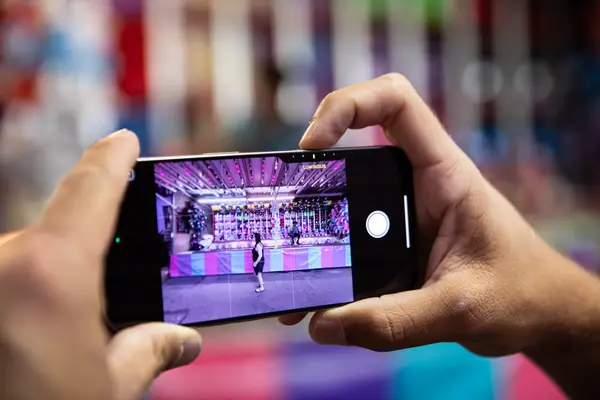
A look back at how we got here
Apple has kept the Camera app quite simple for a long time. They wanted to make sure that anyone could pick up a phone and snap a great photo. This "it just works" approach defined the brand for years. But for many, that simplicity became a wall.
Pro photographers often felt limited by the stock software. They had to hunt for third-party apps just to change the shutter speed. These apps were great, but they lacked the raw speed of the native camera. Swapping between apps always felt clunky.
We saw Apple start to open up with ProRAW and ProRes features. These gave us more data to work with in post-editing. Yet, the interface stayed rigid. You were stuck with the layout Apple gave you, whether you liked it or not.
The community has asked for a change for years. They wanted a way to move buttons and hide things they don't use. It seems like the team at Cupertino is finally ready to let us have that control.
What the new camera setup looks like
The big news is that iOS 27 will let you build your own interface. You will be able to pick specific "widgets" for the top of the screen. This means you can put your most used tools right where your thumb rests. It's a huge change for usability.
You won't have to dig through menus anymore. If you love adjusting exposure on the fly, just add that widget. If you need depth-of-field controls, add that one too. You get to decide what your toolset looks like.
The system will likely sort these into three buckets. They are calling them basic, manual, and settings. This grouping makes sense. It keeps the simple stuff easy to find while letting pros dive deep into the settings they need.
What's cool is that these widgets will change based on your mode. Use Video mode? You'll see different tools than when you use Portrait mode. It's smart. The phone knows what you need before you even ask for it.
There is also talk of a new Siri mode. This sounds like it will tap into Apple's visual intelligence. Imagine pointing your phone at a sign and asking for a translation right through the camera UI. That is the kind of leap we are looking at.
This isn't just about moving buttons. It is about making the device an extension of your creative flow. When the software gets out of the way, you can focus on the shot. That is the goal here.
The technical bits you need to know
The "Add Widgets" tray is the heart of this update. It acts as a hub for all your custom controls. You can drag and drop items into your preferred order. It sounds a lot like how we customize our lock screens now.
These widgets are not just shortcuts. They are interactive UI elements. They need to be responsive and fast. If they lag, the whole experience falls apart. I expect Apple to put a lot of work into the touch response here.
We also hear that Safari and the Weather app are getting some love. The Weather app will add a "Conditions" section. This is just more evidence that Apple is pushing for more density in their app designs. They want to show us more data without cluttering the screen.
The Dynamic Island will also play a bigger role. Siri will likely live there, giving you updates without taking over your whole display. It's a clean way to handle AI tasks. It keeps your focus on the viewfinder.
Will this change your workflow?
I think this is a sign that Apple is done being too safe. They know that competition is heating up. Other brands have offered manual modes for ages. Apple is finally catching up but doing it with their own signature style.
If you don't care about manual controls, you can just leave it alone. The default settings will still be there. You won't be forced to learn anything new if you don't want to. That's the beauty of this design.
This update could be the reason many people finally ditch their dedicated camera apps. If the stock app is fast, clean, and custom, why look elsewhere? It's a smart move to keep us locked in the ecosystem.
The real test will be how it feels in practice. Will the widgets be easy to tap? Will they block the view? We will find out soon enough. But for now, the potential is clear.
Quick questions answered
Will these changes come to older phones? Most likely, yes. Apple usually supports their recent devices for several years. If your phone runs iOS 27, you should get these features.
Can I reset the layout if I mess it up? I'm sure there will be a "reset to default" button. Apple rarely leaves users without an easy way to go back to the start.
Do I have to use the new widgets? No. The report says you can stick with the current default array if you prefer. You have the choice.
Is this just for pros? Not at all. The basic category is made for everyone. It should make your everyday photos even better.
When can I get this? We usually see developer betas in the summer. A public release typically hits in the fall. We have a bit of a wait ahead.
My honest take on this
I think it is about time. I have been frustrated by the lack of control in the Camera app for years. I don't want to switch to a different app just to fix my white balance. It ruins the moment.
The thing that gets me is how long it took. Apple has always been good at UI, but they were stubborn about this. I am glad to see them finally soften their stance. It makes the phone feel like a pro tool.
I am especially hyped for the Siri integration. If they can make the phone understand what it's seeing, it changes everything. It's not just a camera anymore. It's a visual sensor that helps you learn.
Honestly, my take is that this is the most exciting update in years. It shows that they are listening to the people who use these devices to make art. I can't wait to get my hands on it and start building my own layout.