How to Speed Up Your 3D Printer With a Nintendo Switch
Learn how modders are using a jailbroken Nintendo Switch to drastically increase 3D printer speeds using Klipper and custom firmware.
Ever look at your Nintendo Switch and wish it did more? Most of us just play games. We don't think about its raw power. But one modder just changed that forever.
They took a dusty Prusa MK3S printer and hooked it up to their console. The goal was simple. They wanted more speed.
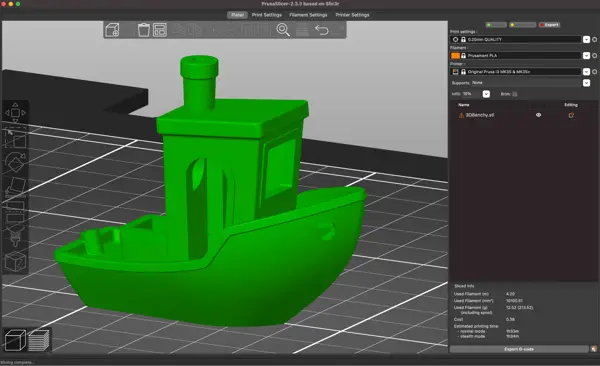
The result is wild. It printed a 3DBenchy boat in under nine minutes. That is pure magic.
Old hardware meets new tricks
The Prusa MK3S is a legend in the hobby. It was the gold standard for years. But it isn't fast by modern standards. Its 8-bit board struggles with complex math.
Usually, people add a Raspberry Pi to fix this. It runs software called Klipper. This takes the load off the printer board.
But this modder didn't want a Pi. They wanted to use what they had. A jailbroken Nintendo Switch became the brain of the operation.
It's a funny way to use a gaming machine. Yet, it works perfectly. The Nvidia chip inside is way faster than any stock printer board.
How the magic happens
The process starts with Ubuntu Linux on the Switch. You have to be comfortable with tech to pull this off. It isn't a one-click install.
Once Klipper is running, the Switch takes over all the heavy lifting. It calculates every move the printer makes. The printer just follows orders.
This allows for massive speed jumps. The modder pushed their printer to 400mm/s. That is insane for a machine that usually moves at a crawl.
You can see the difference immediately. The 3DBenchy, which normally takes 90 minutes, finished in 8 minutes and 41 seconds. It's a massive gain.
Quality also gets a boost. Input Shaper tech helps smooth out those ugly vibrations. Your prints look cleaner even at high speeds.
The Switch screen acts as a dashboard. It's a great way to monitor your print. It looks cool sitting on the desk.
Under the hood specs
Why does this work? It's all about the quad-core SoC. The Switch has way more compute power than the printer needs.
The bottleneck isn't the CPU anymore. It's the physical parts of the printer. The hotend and extruder can't keep up with the data.
You also hit limits with the frame. The Y-axis starts to wobble at these speeds. Physics is still a real thing here.
Still, the setup is solid. The Mainsail or Fluidd interface makes it easy to manage. You get a modern web UI on your handheld device.
The future of your setup
Should you do this? Maybe. If you have a spare Switch, it's a fun weekend project. It's a great way to breathe life into an old machine.
But don't expect it to fix everything. If your printer is broken, this won't help. It just makes a working printer go faster.
We see more people doing this kind of thing. People love to reuse old tech. It keeps e-waste down and adds personality to a build.
This shows that you don't need a super-computer to get great results. Sometimes you just need a bit of creativity.
Quick questions answered
Do I need to jailbreak my console? Yes. You need a moddable unit to run Ubuntu and Klipper. It voids your warranty, so be careful.
Is this faster than a Raspberry Pi? The Switch is much more powerful than most Pi models. It can handle much heavier loads.
Does it damage the printer? Pushing any machine to 400mm/s causes wear. You might need to replace parts more often.
Can I use a Switch Lite? It is much harder to mod. Stick to the original Switch model for this project.
Is the print quality better? Yes. The software helps reduce ringing and ghosting. You get better detail at higher speeds.
My honest take on this
Honestly, I love this stuff. It's exactly why I love the gaming community. We don't just consume; we create.
I think using a Switch is overkill, but that's the point. It's about the "what if" factor. Why use a dull Pi when you have a console sitting there?
The thing that gets me is the speed. Seeing a 3DBenchy pop out in under nine minutes is satisfying. I'd love to try this on my own setup.
My advice? Don't do this if you need your printer for work. It's a hobby project. If you want a reliable print, stick to the stock setup. But if you want to have fun, go for it.